

Instant Discounts With Loyalty & Payments for Consumers
Download App1. Click to download “LocalPay: Loyalty and Payments”
2. Securely log in to your online banking and register
3. Pay and receive instant discounts at checkout
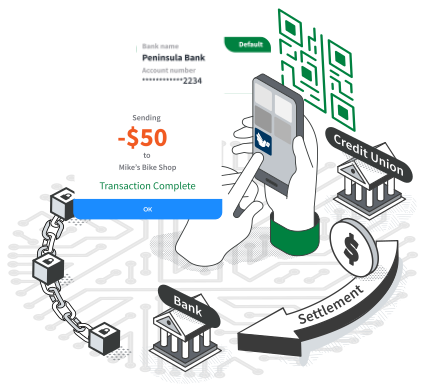
What LocalPay Does
LocalPay lets customers pay retail merchants directly from their bank account. Merchants get faster settlement and avoid high credit and debit card fees, while customers get loyalty rewards and instant discounts.
Benefits to Consumer Users
- Receive instant discounts at checkout
- Find local deals from area merchants
- Build loyalty rewards with your favorite merchants
How It Works
LocalPay partners with banks and merchants to enable account-to-account payments between consumers and merchants, generating significant savings from card fees, and passing those savings on to consumers as discounts and loyalty rewards.
How to Install
Consumer Signup
Register in less than 2 minutes
Consumer FAQs
How do I sign up?
You can set up an account in under two minutes. Simply download the app, provide your name and phone number, and securely link your bank account via Plaid.
How do I find local discounts?
- On your Homepage: Location-tailored deals appear directly beneath your payment QR code.
- On the Local Deals Page: Search via ZIP Code to explore rewards and discounts in other neighborhoods or cities.
Can I pay with a credit or debit card?
No. LocalPay is built exclusively for secure, direct account-to-account (A2A) payments. Card payments are not supported on the platform.
What if my phone is lost or stolen?
Your funds remain secure. LocalPay requires biometric authentication (Face ID/Touch ID) or a secure PIN to authorize every single transaction, preventing unauthorized access even if someone bypasses your phone's lock screen.
I heard I can use LocalPay directly within my bank's app. How does that work?
If your financial institution is a LocalPay partner bank, a Pay-by-Bank card will automatically feature on your banking app's homepage. This integrated dashboard displays local deals and features a button to instantly generate your payment QR code for merchants to scan.
Have questions or need extra help? Email us at support@localpay.com